 ferla
ferla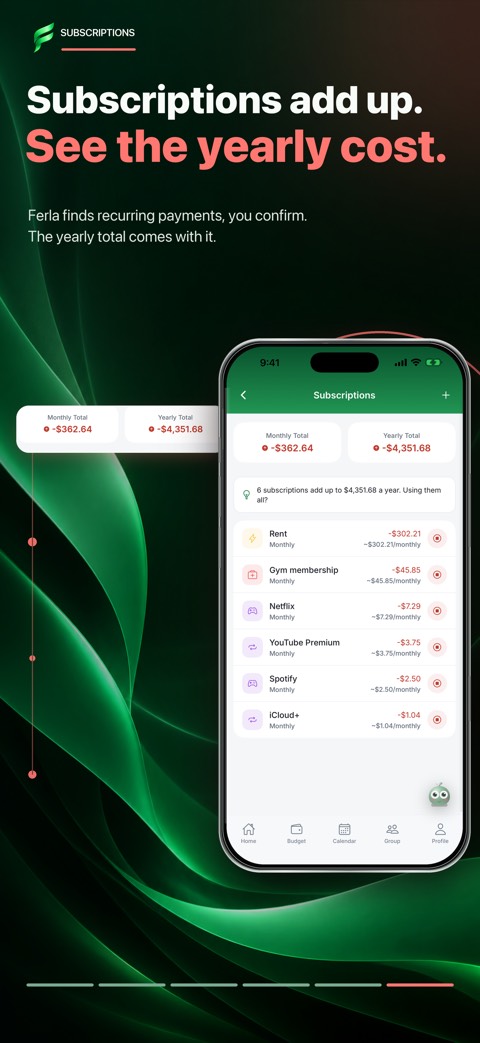
Record a payment once
Add a recurring payment with a name, amount, and period. A reminder can help you prepare before it is due. This is a planning record: it does not set up a bank payment or cancel an existing subscription with the provider.
Update the record when a price changes. Services charged in another currency may appear at a different amount on your statement. Check your own entry against the actual payment from time to time.
- Enter the payment and its schedule.
- Check the upcoming date or reminder.
- After payment, review the actual amount and update your record if needed.
Treat suggestions as candidates
Ferla does not scan your bank account. Its detection looks only at the history you entered, searching for patterns in merchant, amount, and timing. It cannot discover a subscription that never appeared in your ledger.
Weekly groceries might look recurring, while a genuine subscription with a changing amount could be missed. Review each suggestion and decide whether it really is a subscription.
Review your regular commitments
Looking at upcoming payments near the start of a month can give useful context for your other spending. If you spot a service you no longer use, cancel it through that provider’s own process. Ferla records and reminds you; it does not make or cancel payments on your behalf.
A few useful answers
Does Ferla find subscriptions by scanning my bank?
No. Suggestions come only from the transactions you recorded in Ferla.
Can Ferla cancel a subscription for me?
No. Contact the service provider or use its cancellation process.